How to Build an Org Chart People Actually Use
Build an org chart that stays accurate and useful—manager fields, visibility rules, and habits that stop shadow diagrams from taking over.
 Warka TeamPeople operations5 min read
 People
Most companies have an org chart. Fewer have one people trust. The PDF on the shared drive is three reorgs behind; managers keep private slides; new hires ask Slack who owns what.
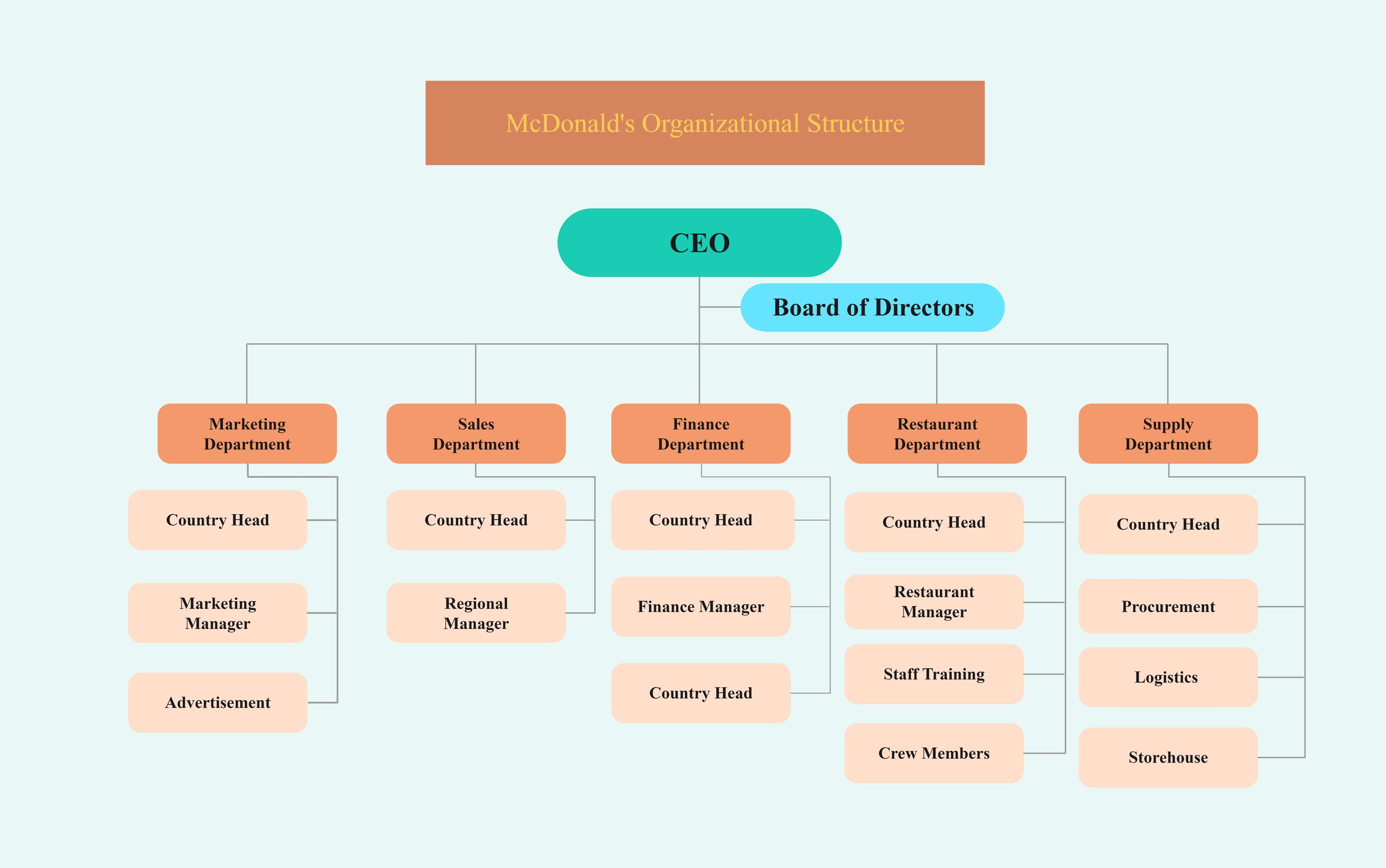
A useful org chart is not a poster. It is a live view of manager relationships maintained as part of people data—not a design project.
What “useful” means
People use an org chart to:
- Find the right approver
- Understand span of control
- Onboard into a team context
- Plan reorgs with less chaos
If it cannot answer “who is my manager’s manager?” in ten seconds, it is decoration.
Start from the manager field, not from drawing
Every employee profile needs:
- Current manager
- Department / team
- Location (optional but valuable)
- Role title
The chart should generate from those fields. When someone changes manager, the chart updates automatically. Manual boxes in PowerPoint will always lag.
Design choices that keep charts readable
Limit depth on the default view
Show two levels from the person viewing, with expand controls. A full-company spaghetti map on mobile helps nobody.
Decide what contractors and vacant roles show
Be explicit: contractors visible or not; open roles as placeholders or omitted. Inconsistency confuses headcount conversations.
Protect sensitive structures carefully
Some leadership layers may be limited by role. Default toward transparency for ICs seeking collaborators; restrict compensation—not reporting lines—unless security requires it.
Habits that keep data true
| Habit | Owner | Cadence |
|---|---|---|
| Manager updates on transfers | HR / People ops | Same day as effective date |
| Span review | HRBP / leaders | Quarterly |
| Orphan check (no manager) | HRIS admin | Weekly |
| Title cleanup | Managers + HR | Monthly |
Tie manager changes to the same workflow as promotions and transfers—see HRIS for growing teams.
Reorgs without chart chaos
- Freeze non-critical profile edits briefly
- Apply manager changes with effective dates
- Communicate “as of” date to the company
- Refresh leave approvers from new managers
- Archive the previous structure snapshot for history
If leave approvals still route to old managers, the chart change was incomplete—see leave management must-haves.
Anti-patterns
- Org chart owned by the design team
- Quarterly “org chart projects” instead of daily data hygiene
- Dual reporting without a primary manager for approvals
- Nicknames and unofficial teams that never appear in the system
FAQ
Matrix organizations—how do we chart them?
Show a primary manager for HR workflows (leave, performance). Represent dotted lines as secondary fields or team memberships, not competing primary managers.
Should every employee see the full company?
Usually yes for companies under a few hundred people. At larger scale, scoped views by division reduce noise while leaders retain full access.
What about interim managers?
Use an interim assignment with an end date, or temporary delegate approvers—do not leave “TBD” as manager.