How to Choose HR Software for a Growing Company
A practical framework for selecting HR software—requirements, must-have modules, vendor questions, and red flags—so growing companies buy fit, not hype.
 Warka TeamPeople operations5 min read
 Guides
Choosing HR software feels urgent when spreadsheets break—and risky when every vendor claims to be “all-in-one.” The wrong purchase locks your team into workarounds for years. The right one becomes quiet infrastructure: one employee record, clear approvals, and fewer month-end fire drills.
This guide is a buying framework, not a brand ranking. Use it to define requirements, shortlist vendors, and run demos without getting lost in feature checklists.
Clarify the problem before you shop
Write one paragraph answering:
- What breaks today? (payroll exceptions, leave disputes, missing contracts, hiring chaos)
- Who feels the pain? (HR, finance, managers, employees)
- What must improve in 90 days? (one measurable outcome)
If you cannot name a primary outcome, pause. Software without a problem statement becomes shelfware.
Map modules to your stage
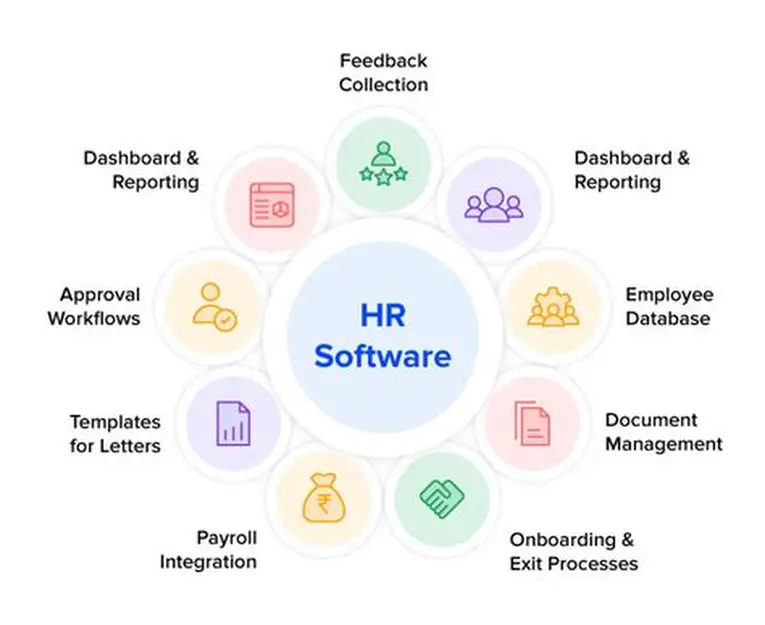
Most growing companies need a core HRIS first: directory, profiles, org chart, documents, and basic lifecycle workflows. Then add depth:
| Stage signal | Prioritize |
|---|---|
| Headcount rising fast | Directory, org chart, self-service |
| Leave disputes rising | Leave policies, balances, approvals |
| Shifts or multi-site | Attendance / time tracking |
| Hiring every month | Recruitment pipeline / ATS basics |
| Finance drowning in exports | Payroll connected to people data |
| Managers lack goals | OKRs / KPIs with a light cadence |
Buying every module on day one is rarely wise. Buying a platform that cannot add modules later is also unwise. Prefer systems that share one employee ID across modules—see HR tech stack consolidation.
Must-have evaluation criteria
Data model and ownership
- One employee record used by leave, attendance, and payroll
- Clear roles: HR admin, manager, employee, finance
- Audit history for sensitive changes (salary, status, documents)
Workflows you will actually run
- Hire → profile → documents → first pay
- Leave request → manager → balance update
- Correction requests for time
- Offboarding checklist with access and final pay hooks
If demos only show dashboards, ask to walk a full lifecycle.
Self-service and mobile
Employees should update contact details, request leave, and view payslips without emailing HR. Managers should approve on phone. If self-service is weak, HR remains the search engine—see employee self-service guidance.
Reporting and export
You need headcount, starters/leavers, leave liability, and payroll inputs on demand. Confirm CSV/API export so you are never trapped.
Security and hosting
Ask where data lives, how backups work, SSO options, and who can see compensation. “Cloud” is not an answer—controls are.
Pricing questions that matter
Per-employee pricing is common. Ask:
- What is included vs paid add-ons?
- Are contractors counted?
- Is implementation billed separately?
- What happens when you grow from 40 to 120 seats mid-year?
Cheap licenses with expensive “professional services” often cost more than transparent mid-tier plans.
How to run a useful demo
Bring your scenarios, not the vendor script:
- Hire someone mid-month with pro-rated leave
- Move an employee to a new manager and site
- Approve leave that crosses a public holiday
- Produce a payroll-ready attendance summary
- Export a starter/leaver report for finance
Score each vendor 1–5 on accuracy, speed, and clarity after those five flows.
Red flags
- You still need Excel for payroll “until phase two”
- No manager approvals—everything routes to one admin
- No audit trail for salary or bank detail changes
- Support only in time zones that never overlap yours
- Contracts that block data export
Decision checklist
Before you sign:
- Written requirements tied to 90-day outcomes
- Shortlist of 2–3 vendors with scored demos
- Security and export confirmed in writing
- Implementation owner named internally
- Parallel-run plan for the first payroll cycle
For stage-based priorities, also read HRIS for growing teams and how to compare HR softwares.
FAQ
Should we buy HR and payroll separately?
You can—if integration is reliable. Many mid-market teams prefer one system of record to avoid roster drift. See HR, payroll, and performance in one system.
How long should implementation take?
For directory + leave at under 100 people, weeks—not quarters—is realistic if data is cleaned first. Payroll localization takes longer; plan a parallel run.
Do we need a dedicated HRIS admin?
At 50+ employees, yes—someone owns data quality weekly. Without an owner, any tool decays.